- Credits
- 11

Hi, it was very touch work for me. Because there are so many blocks (rectangle zone) and I coded to scan all rectangles and
if price is inside of the zone, place an order.
TP=10pips
SL = Opposite signal close
When you run EA, please attach the indicator with your set file.
EA will scan the objects (rectangles) on the chart and always check to see if the current price is within the block zone.
But There is some problem. We can not know price inside the zone is BUY or SELL entry. Because EA check just
rectangle price. If you have some indicators I can add to it to find if signal is buy or sell...
For this reason, backtest with everytick mode is so slow and if you just check how EA works in control points mode in backtest.
Anyway to confirm the EA ability, please test in demo account and watch how it works!
Good day Tanaka,
thanks for your effort.
I will test today and update you.
Thank you for your testing. Please try.
There is some issues, sometimes EA open buy at resistance zone and EA open sell at supply zone,
So to fix this, can I add some filter ? Anyway you can try first.
Tanaka, there is a trend Panel in the indicator.
Joust set the option.
Maybe it can help you.

Tanaka,
is there any way the Buy/Sell can be identify bu the color of the Block?
(Maybe it's a naive way since I don't know how to program)
in the indicator settings, there is a way for Bull and Bear colors that can be changed. Maybe can make refer to this settings for Buy/Sell entry?Maybe possible. Can you make like,,,, buy zone = blue and sell zone =red
in the indicator settings, there is a way for Bull and Bear colors that can be changed. Maybe can make refer to this settings for Buy/Sell entry?

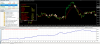
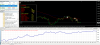
I coded ZigZag EA!!!
Looks nice.
Takeprofit is opposite close
Stoploss is opposite close
TF H1 default set
View attachment 156139
View attachment 156141
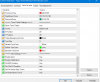
Attached the setfile. it shows order block's
(buy= blue)
(sell= red)
other settings as Discount zone/Premium zone disable.
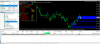
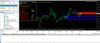
Attached the setfile. it shows order block's
(buy= blue)
(sell= red)
other settings as Discount zone/Premium zone disable.
私もZIGZAGのロジックがあります。
コーディングお願いします。
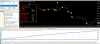
写真は売りエントリーの例です。
SLは直近高値です。丁度ZIGZAGの山になっているところです。
View attachment 156150
ZigZagの安値更新でSELLエントリですか?
Finished coding.
When I do backtest with attaching indicator , order block is not shown sometimes. I don't know why.
So please just check in live (demo account or real ).
The EA just reads blue and red zone (read color) and place an order, so when you attach the indicator, please check the buy zone and sell zone color.
Buy zone =Blue
Sell zone = Red.