• Welcome back! Thank you for being a part of this Traders Community. Let's discuss and share :)
    Selamat datang kembali! Trimakasih telah menjadi bagian dari Komunitas Trader ini. Mari berdiskusi dan berbagi :)

I will code your strategy to EA for free

Hello!

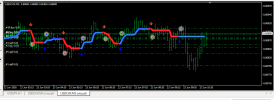
I have good stratege, that based on three indicstors. In attached files resalts of hand trading, technical task and indicators.
I am disabled person and have no for proramming. Becouse of that I ask you to help and create this expert.
The EA—ThreeIndicator_EA.mq4—is ready. To compile it, this file and the three indicator files (heiken-ashi-ma-t3-new-indicator.ex4, HILO_channel_jurik_BT.ex4, MA_ribbon_filled.ex4) must be in your MQL4/Indicators folder, while the EA itself goes into the MQL4/Experts folder.
Features implemented:

3 strategies that can be enabled/disabled independently (Strategy 1/2/3)
Separate on/off controls for closing rules (Ind1: opposite dot; Ind2: opposite color; Ind3: white/yellow cross)
Martingale (multiplier × N losing trades, then reset)
Settings for SL, TP, Lot size, and Slippage
Indicator 1 parameters (MaPeriod, Step)—these are 100% accurate as I found the source code for it
Parameters for Indicator 2 (HighLowPeriod) and Indicator 3 (MA1Period, MA2Period) are also included in the settings

⚠️ Important note: Indicators 2 and 3 were only available as compiled (.ex4) files, not source code; therefore, their exact buffer numbers (identifying which buffer corresponds to the white/yellow line or the color/trend signal) cannot be determined without decompiling. I have made these buffers adjustable via inputs (Ind2_LineBuffer, Ind2_ColorBuffer, Ind3_WhiteBuffer, Ind3_YellowBuffer, etc.) so you can simply change the number to get it right without rewriting the code.
Verification method: Apply the indicator to the chart → Open the "Data Window" (Ctrl+D) and hover your mouse over a candle → Check the number for each line/dot → Enter that same number into the EA settings.
If you prefer, I can verify this myself—if you apply these indicators to a chart in MT4 and send me a screenshot (with the Data Window open), I will confirm the exact buffer numbers and correct the default settings.

 

Attachments

Hi, please make an EA for the rules:
1) entry buy when close price of the candle is higher than high price of the candle that closed at 08:00 in M15 TF. SL at low price of the candle that closed at 08:00 in M15 TF. TP is 2:1 from SL.
2) entry sell when close price of the candle is lower than low price of the candle that closed at 08:00 in M15 TF. SL at high price of the candle that closed at 08:00 in M15 TF. TP is 2:1 from SL.
here you go
 

Attachments

Hi, would you please be so kind as to extend the final buy/sell conditions in the GuppyEA_v1.0 EA (lines 362 & 372) into proper buy/sell orders into same EA. I know more is needed, but I can do those myself. In mq4 please as I still need to develop this with more trade conditions until it hopefully works.

If not too much to ask, I'd prefer a format similar to Hennis Superbot EA.

Thank you so much for your kindness.
here you go
 

Attachments

Deer All, could someone be so kind as to program this for me please. It would be gratefully appreciated ??

EA Name: Hedged Grid Martingale (Buy + Sell)
Platform: MT4 | No indicators | Any timeframe | Any symbol | Magic Number required

Opening​

  • Opens 1 BUY + 1 SELL together at market
  • Uses starting lot (user input)

Grid (per side, independent)​

  • Every Grid Gap pips against a side → add another trade on that side
  • Lot sequence: 3 × 0.01 → 3 × 0.02 → 3 × 0.03 → 3 × 0.04 … forever (+0.01 every 3 trades)
  • No stop loss. No max trades. No max lots. Each side keeps adding until its exit target is hit
  • Start lot, lot step, trades-per-tier, grid gap = all user-adjustable

Take Profit (per side)​

  • TP measured from FIRST entry of that side (not average)
  • Buy TP and Sell TP = separate user inputs
  • On TP → close all trades on that side, stop opening that side
  • Other side keeps running

Break-Even (surviving side only)​

  • Triggered automatically when one side hits TP
  • Surviving side switches to break-even mode and keeps gridding if price moves against it
  • Closes when price hits the user-set Break-Even Price (exact price, per side, fully adjustable — $1 to $1000+)
  • On hit → close all trades on that side

Reset​

  • When both sides closed → immediately open new Buy + Sell, lot sequence resets

Filters​

  • Spread filter — don't open new trades if spread > user-set max
  • Slippage — user input

Dashboard (on chart)​

  • Open trades per side
  • Lots per side
  • Floating P/L per side + total
  • Max Drawdown accrued whilst running (persists across session)
  • Current mode per side (Gridding / Break-Even / Closed)
  • TP price + Break-Even price per side
  • Toggle on/off + corner position

Inputs​

InputNotes
Magic Numberrequired
Starting Lote.g. 0.01
Lot Stepe.g. 0.01
Trades Per Tiere.g. 3
Grid Gappips, e.g. 20
Buy TPpips from first buy
Sell TPpips from first sell
Buy Break-Even Priceexact price
Sell Break-Even Priceexact price
Max Spreadfilter
Slippage
Dashboard On/Off + Corner

Optional (please include in code, off by default)​

  • Equity stop / close-all at X% DD
  • Max total lots cap
 
Would it be possible to add these features to the above?

Restart Mode — NEW​

User-selectable option with two choices:
ModeBehaviour
Mode A — Wait (original)Winning side closes. EA waits for the surviving side to hit break-even. Only then does it restart the full Buy + Sell cycle
Mode B — Restart ImmediatelyThe moment a side hits TP, EA immediately opens a fresh trade on that closed side — without waiting for the other side to close. The surviving side carries on in break-even mode as normal
  • Mode B detail: If Buy hits TP → close Buy, then immediately open a new Buy at market. Sell continues running in break-even mode. So at any moment, both sides can be active at once (one fresh cycle + one surviving basket). Magic number tagging must keep them separate.
  • User input: "Restart Mode: Wait / Immediate"

Manual Buttons — NEW​

On-chart buttons (top corner, user-adjustable position):
  • [ CLOSE ALL BUYS ] — closes every open buy trade (EA's magic number only)
  • [ CLOSE ALL SELLS ] — closes every open sell trade (EA's magic number only)
Behaviour notes:
  • Buttons must not reset the cycle automatically — they just close the trades
  • Add a confirmation popup ("Close all buys? Yes / No") so you don't fat-finger it
  • After a manual close, the EA should follow the same restart logic as a normal close (respect Restart Mode setting)
  • Optionally add a [ CLOSE ALL ] button for both sides at once
 
I have been advised to add this note for the programmer, not sure if it is a valid note or not :):-

⚠️ CRITICAL — Cycle Separation Logic​

Because Restart Mode = Immediate allows a new cycle to start while the previous cycle's surviving basket is still open, the EA must keep the two cycles completely separate. Otherwise the break-even logic of the old side could accidentally close the new side's trades, and vice versa.

The programmer MUST implement ONE of the following:

  • Option A (preferred): Assign each cycle a unique Cycle ID (e.g. cycle number + timestamp + side). Every trade is tagged with its Cycle ID via the order comment. TP, break-even, grid-add, and close-all logic must operate only on trades matching the current cycle ID. This way, Cycle 2's Buy basket is never touched by Cycle 1's surviving Sell basket logic.
  • Option B: Use a different Magic Number per cycle. Cycle 1 trades = Magic 12345, Cycle 2 trades = Magic 12346, and so on. But note: MT4 has a practical limit on magic number juggling, and the manual [CLOSE ALL BUYS] / [CLOSE ALL SELLS] buttons must be smart enough to close trades from all active cycles, not just one.
Recommendation: Use Option A (Cycle ID in order comment). It's cleaner, works with a single magic number, and makes the manual buttons easy — they just filter by symbol + magic number + side, regardless of cycle.

Behaviour that must be tested:

  1. Buy hits TP in Cycle 1 → Buy Cycle 2 opens immediately
  2. Sell Cycle 1 still running in break-even mode
  3. Price moves such that Sell Cycle 1 hits its break-even → only Sell Cycle 1 closes
  4. Buy Cycle 2 remains untouched
  5. Grid adds on Buy Cycle 2 must not be affected by anything from Cycle 1
  6. Dashboard must be able to show per-cycle info if both cycles are live (or at minimum, totals per side)
 
Back
Top