Hi, thank you for sharing the DeepGold EA for free. I really appreciate your work and would like to test and study the EA more thoroughly.
I tried running DeepGold EA in the MT5 Strategy Tester, but the journal shows:
“FATAL: LLM EA cannot run in Strategy Tester. Use live account.”
I understand that this may be because the EA depends on real-time communication with the DeepSeek API.
I have already created and funded my own DeepSeek API account, so I would like to ask a few questions:
- Would it be possible for you to share the MQ5 source code of DeepGold EA? Since the EA is already shared for free, I would like to study how the trading logic and DeepSeek integration work, and if possible, experiment with making it compatible with Strategy Tester. I completely understand if you prefer not to share the source code.
- Is there an official way to backtest DeepGold EA? The current EX5 version intentionally stops when it detects MT5 Strategy Tester.
- Does DeepSeek make the actual BUY/SELL decision, or is it only used as an additional confirmation/filter for signals generated by the EA?
- What market information is sent to DeepSeek? For example: OHLC data, indicators, recent candles, market structure, spread, or previous AI predictions?
- How often does the EA make a DeepSeek API request? Is it on every tick, every new candle, only when a trading setup appears, or at another interval?
- Which DeepSeek model is the EA designed to use? Also, does the EA automatically select the model, or is a specific model/API endpoint hard-coded?
- Approximately how much API credit does the EA normally consume per day when running on XAUUSD M5?
- Is XAUUSD M5 the recommended symbol and timeframe, and are the default parameters the recommended settings?
- Is the EA intended to run on a demo account as well as a live account? I would prefer to test it on demo first before considering any live trading.
- Are there any required MT5 WebRequest settings or URLs that must be added under Tools → Options → Expert Advisors for the DeepSeek API connection to work correctly?
- If the DeepSeek API is unavailable, times out, reaches its rate limit, or returns an invalid response, what does the EA do? Does it skip the trade, use its internal strategy, retry the request, or stop trading?
- Does the EA store the AI responses/predictions anywhere? If so, is there a debug mode or log that can be enabled so users can see the AI's decision, confidence score, and reasoning for each trading signal?
- Do you have a recommended SET preset for XAUUSD M5? If yes, could you please share it?
My main goal is to understand and properly test the EA, especially how much of its performance actually comes from the DeepSeek AI decision-making versus the EA's internal trading rules.
Thank you again for making the EA available for free.
Thank you for such a detailed and thorough list of questions — it’s immediately clear that you approach the matter thoroughly, unlike those guys who launch an advisor and pray to the chart.
I’ll start with the main point.
About the source code.
Unfortunately, I can’t share the source code — the project has gradually moved to a new stage of its development, as I mentioned above, and now some of the work is being moved to the commercial version. The free version will remain available, but the internal logic will become proprietary. I will answer all your questions as honestly as possible.
1. Strategy tester.
Yes, I deliberately blocked operation in the tester. The reason is simple: the DeepSeek API cannot be called from the tester, and without it, the advisor turns into a pumpkin. If you want to run it properly, use the real‑time demo account. This will give you a much more honest picture.
2. Does DeepSeek make the decisions, or does it only confirm them?
DeepSeek is the main signal generator. It receives market data and provides a forecast (the probability of movement). The advisor’s internal rules (risk, sessions, spreads, trailing) only execute this signal. That is, there will be no trades without a response from the neural network.
3. What exactly is sent to DeepSeek?
A decent set of data is sent:
• 30 latest M15 candles (OHLC)
• Indicators: ATR, ADX, RSI, CCI, WPR, MFI, Bollinger %b, closing price
• Current open positions (if any)
• Balance and equity
• History of past forecasts (for feedback)
In general, everything you need for analysis, except for today’s horoscope.
4. How often do the requests come in?
Not on every tick, God forbid. Requests are sent when two events occur:
• M15 candle closure (once every 15 minutes)
• Sharp price spike (if the price deviates from the opening by more than SpikeFactor * ATR)
5. Which DeepSeek model is used?
The latest version uses deepseek-v4-pro (smart, but sometimes fussy).
6. API credit consumption.
It depends on the number of requests. Under normal operation (once every 15 minutes during a trading session), it results in approximately 100 requests per day.
7. Timeframe and parameters.
I recommend M15 — it’s optimized for the logic and speed of API responses. On M5, there will be too many requests and noise. The default parameters are moderately conservative.
8. Demo or real account?
Demo is ideal for getting started. With real money, you run out of funds faster than you understand the logic. First, make sure everything works, and only then go into battle.
9. WebRequest configuration.
Yes, be sure to add the following URL to the list of allowed URLs:
(Tools → Parameters → Advisers → Allow WebRequest for the specified URLs). Without this, the advisor will receive error 4014.
10. Behavior in case of API errors.
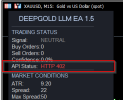
The advisor doesn’t panic. If the API is unavailable, there’s a timeout, a limit, or an invalid response — it simply skips the deal and waits for the next event. Are there retries? Only in the DeepSeek client itself (three attempts with a delay). Inside the advisor — no. However, the API status is displayed on the panel.
11. Saving AI responses.
Yes, the forecast history is saved in the binary file DeepGold_LLM_History.bin (located in the MQL5/Files folder). You can also enable EnableDebugLogging — then all requests and responses, including confidence and justification (if the model provides it), will be logged.
12. Recommended settings for XAUUSD M15. Leave the defaults, but raise MaxSpreadPoints to 50–70 (gold likes a wide spread). MinLLMConfidence can be slightly increased to 0.7 to start with. The rest is up to you.
I hope the picture is now clear. The main thing is to remember: the advisor is not the Holy Grail, but a tool that helps make decisions but does not eliminate risk.







 !!
!!