
You are using an out of date browser. It may not display this or other websites correctly.
You should upgrade or use an alternative browser.
You should upgrade or use an alternative browser.
Suggestion Free Backtesting Service Data Quality 99.90%
- Thread starter brekz1
- Start date



no result on backtesting, because EA have critical error:excuse friend. I do not understand. download problem?
I tried testing and it works but only four months. I would like to see testing for at least 4/5 years.
2016.10.10 18:18:40.909 2014.01.01 00:00 SoeHoe.ID_MartingaleFX EURUSD,M5: zero divide in 'MartingaleFX.mq4' (131,49)
2016.10.10 18:18:40.911 2014.01.01 00:00 Testing pass stopped due to a critical error in the EA
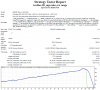
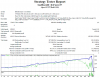
here the resultstart_lot: 0.01
multiplier: 1
pair: EU
balance 100€
TF 5min
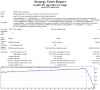
start_lot: 0.01
multiplier: 1.1 ( possibil 1.5 )
pair: EU
balance: 1000€
TF: 5min
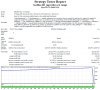
start_lot: 0.1
multiplier: 1.1 ( possibil 1.2 or 1.5 )
pair: EU
balance: 10000€
TF: 5min
Attachments
-
 screenshot.png118.3 KB · Views: 513
 -
 screenshot1.png155.8 KB · Views: 478
 -
 screenshot2.png157.7 KB · Views: 475
 -
 screenshot3.png159.1 KB · Views: 475
 -
 screenshot4.png161.5 KB · Views: 475
 -
 screenshot5.png157.1 KB · Views: 474
 -
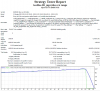 screenshot6.png169.2 KB · Views: 474
 -
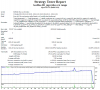 screenshot7.png157.8 KB · Views: 473
 -
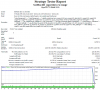 screenshot8.png182.9 KB · Views: 473
 -
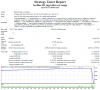 screenshot10.png111.2 KB · Views: 480

ini om hasilnyaOm izin test 1000
Set default min 5
Attachments
sep om sama2Makasih om

here the result
thanks
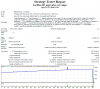
test this:
start_lot: 0.01
multiplier: 1.0, 1.1, 1.2 and 1.5
pair: EU
balance: 10000€
TF: 5min
thanks much
thanks
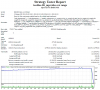
test this:
start_lot: 0.01
multiplier: 1.0, 1.1, 1.2 and 1.5
pair: EU
balance: 10000€
TF: 5min
thanks much
Attachments

you
im did run your request exactly what you want.
check again.
not seeing that backtesting report?thanks but it is not possible. I found error that you put 0.1. I wanted to say that trying test lot 0.01. It can not be collapsing deposit € 10,000 with 0.01.
This test:
Lot: 0.01
Multiplier: 1.0, 1.1, 1.2, 1.3, 1.4 and 1.5
10.000
Eur/usd
Thanks much
im did run your request exactly what you want.
check again.
you
not seeing that backtesting report?
im did run your request exactly what you want.
check again.
yes, I checked your images, you put batch 0.1 ... here is the photo "start_lot: 0.1"
I'd like to know lot 0.01 . excuse for disorder and thanks to available
Attachments
you didnt checked screenshot8.png and screenshot10.png ?yes, I checked your images, you put batch 0.1 ... here is the photo "start_lot: 0.1"
I'd like to know lot 0.01 . excuse for disorder and thanks to available
i have given you 10 different result.
Last edited:
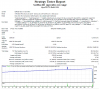
im very sorry, that is my bad, and this is the resultYes I saw your 3 images: screenshot8,10 and 11, I always see 0.1
Attachments
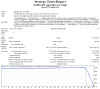
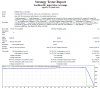

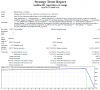
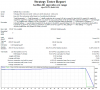
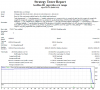
im very sorry, that is my bad, and this is the result
quiet friend. thank you very much

Profitable 91
here the resultlot: 0.1
pair: EU
balance 1000€
TF H1
Attachments
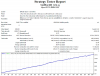
thanks much!!!here the result